Navigating income tax litigation in India requires a thorough understanding of the statutory dispute resolution framework. While many disputes are settled before the First Appellate Authority [Commissioner of Income Tax (Appeals)], high-stakes disallowances and complex legal questions inevitably escalate to the Income Tax Appellate Tribunal (ITAT).
The ITAT serves as the final fact-finding authority in the tax adjudication hierarchy. Therefore, mastering the income tax appeal filing procedure at this stage is essential for tax advocates, chartered accountants, and corporate entities seeking to secure relief against adverse orders. A single procedural misstep—such as misidentifying the authorized signatory on Form 36 or omitting statutory certifications on the paper book—can attract a registry defect memo and cause avoidable delays.
This guide details the complete, practical procedure for filing an ITAT appeal, covering challan generation under e-Pay Tax, electronic submission of Form 36, and the physical compilation of certified paper books.
ITAT Appeal Filing Architecture
Step-by-step roadmap from statutory limitation to physical registry presentation
Fee Challan
Minor Head 500 (Other Receipts) > Appeal Fees. Amount under 'Others' column.
Draft Form 36
Fill grounds & challan particulars. Verify under the Authorised Signatory's identity.
Wet Ink & DSC
Obtain wet signature, scan at 200 DPI, digitally sign with AR DSC, and submit online.
Physical Sets
Submit 3 green-string bound sets with certified orders. Retain 1 stamped office copy.
1. Statutory Limitation and Prerequisites
As per Section 253(3) of the Income Tax Act, 1961, you must file an appeal to the ITAT strictly within 60 days from the date your client receives the adverse order.
Before you even sit down to draft your grounds of appeal, make sure you have these primary records organized and ready to go:
- The disputed Appellate Order passed by the CIT(A), Joint Commissioner (Appeals), or the NFAC.
- The original Assessment Order (typically under Section 143(3), 144, or 147).
- The Notice of Demand issued under Section 156.
- Validated login credentials for the Income Tax e-Filing portal (you'll need this to process the fee payment).
- Active credentials for the official ITAT e-Filing portal.
- Your Digital Signature Certificate (DSC) as the Authorized Representative.
2. Generating the Challan for Appeal Fees
A common point of confusion for first-timers is trying to pay the fee directly on the tribunal's website. You cannot do this. Payment must be processed through the e-Pay Tax system on the main Income Tax portal.
Statutory Fee Schedule
| Assessed Income / Nature of Proceeding | Applicable Fee |
|---|---|
| Total income computed by the AO is up to ₹1,00,000 | ₹500 |
| Total income computed is ₹1,00,001 to ₹2,00,000 | ₹1,500 |
| Total income computed exceeds ₹2,00,000 | 1% of assessed income (Capped at a maximum of ₹10,000) |
| Non-income matters (Penalty orders, TDS defaults, etc.) | ₹500 |
| Application for Stay of Demand | ₹500 |
The Step-by-Step Payment Workflow
- Log in: Access the Income Tax e-Filing portal using your client's PAN.
- Access e-Pay Tax: Navigate to e-File > e-Pay Tax and click on New Payment.
- Select Category: Choose the Income Tax module.
- Assessment Year: Carefully select the exact Assessment Year tied to the disputed order.
-
Head Selection:
- Major Head: The system will auto-select
0020(Companies) or0021(Other than Companies) based on the PAN. - Minor Head: You must select Other Receipts (500).
- Sub-type of Payment: Choose Appeal Fees from the drop-down menu.
- Major Head: The system will auto-select
- Enter the Fee: On the computation screen, put your exact fee amount strictly in the "Others" column. Do not put anything in the Tax, Surcharge, Penalty, or Interest fields.
- Execute Payment: Complete the transaction using Net Banking, UPI, or NEFT/RTGS.
- Save the Documentation: Download the counterfoil immediately. You will absolutely need the BSR Code, Challan Serial Number, and Date of Deposit to successfully fill out Form 36.
3. The Form 36 e-Filing Process
Once you have your challan details, head over to the ITAT e-Filing portal to draft your memorandum.
Step 1: Initiating the Appeal
- Click on "File an Appeal for Assessee".
- Enter the client's PAN, but use your own mobile number and email address. This ensures you control the OTP workflow and subsequent tribunal communications.
- Select the specific ITAT bench that has territorial jurisdiction over the original Assessing Officer.
- Fill in the case metadata, Document Identification Number (DIN), and the challan details you just generated.
Step 2: The Verification Trap (AR vs. Authorised Signatory)
One of the most common reasons the registry issues a defect memo is when practitioners mix up who is supposed to sign the form.
- Authorized Representative (Section 288): This is you—the advocate or CA arguing the case.
- Authorised Signatory (Section 140): This is the person with the legal capacity to verify income returns (the individual taxpayer, or the Managing Director/Secretary of a company).
Step 3: Physical Execution and Digitization of Form 36
- Download Draft: Generate the memorandum online and download the unexecuted Form 36 PDF.
- Get Wet Signatures: Print the document and have the Authorised Signatory physically sign all designated boxes with wet ink.
- Scan to Spec: Scan the fully signed Form 36 in exactly 200 DPI, Black & White. This specific resolution ensures crisp readability while easily staying under the portal's 10 MB file limit.
Step 4: Preparing the E-Filing Attachments (Mandatory vs. Optional)
Before you upload anything, you must prepare all required appeal documents as separate PDF files. The portal categorizes these attachments strictly into separate upload slots. Missing a mandatory attachment will block your final submission. Here is the standard checklist for a typical appeal against a CIT(A) order:
Mandatory Attachments
- Memorandum of Appeal before ITAT (Form 36)
- Grounds of Appeal before ITAT
- Order of CIT(A) u/s. 250
- Grounds of Appeal before CIT(A)
- Tribunal Fee Challan
- Limitation Certificate and Letter of Authority
- Underlying Assessment Order (e.g., u/s. 153A/153C, 144, or 143(3))
Optional Attachments
- Statement of Facts before ITAT
- Memorandum of Appeal before CIT(A) (Form 35)
- Statement of Facts before CIT(A)
- Vakalatnama or Power of Attorney
- Covering Letter before ITAT
- Petition for condonation of delay (if filing past 60 days)
- Affidavit in support of Condonation Petition
Step 5: DSC Authentication and Portal Upload
- Apply AR's DSC to ALL Files: As the Authorized Representative, you must attach your Digital Signature Certificate (DSC) to every single PDF document before uploading. This includes the scanned Form 36, the Grounds of Appeal, the CIT(A) order, and all other mandatory or optional attachments.
- Upload to Respective Slots: Upload each digitally signed PDF into its specific, designated slot on the ITAT e-Filing portal.
- Submit and Acknowledge: Finalize the submission package to generate your official ITAT Acknowledgement Receipt bearing the e-filing diary number.
4. Physical Presentation & Registry Rules
Just because you clicked submit online doesn't mean you are done. You still have to present physical files to the ITAT Registry within the stipulated timeline.
The Three Mandatory Sets
- Set 1 (Original Set): This file contains the original wet-ink signed Form 36, Grounds of Appeal, Statement of Facts, the certified CIT(A) order, the original Assessment Order, and the original fee challan.
- Sets 2 and 3 (Bench Copies): Clear, legible photocopies of Set 1.
- Set 4 (Office Copy): Your personal duplicate set for the firm's records.
Presentation Standards
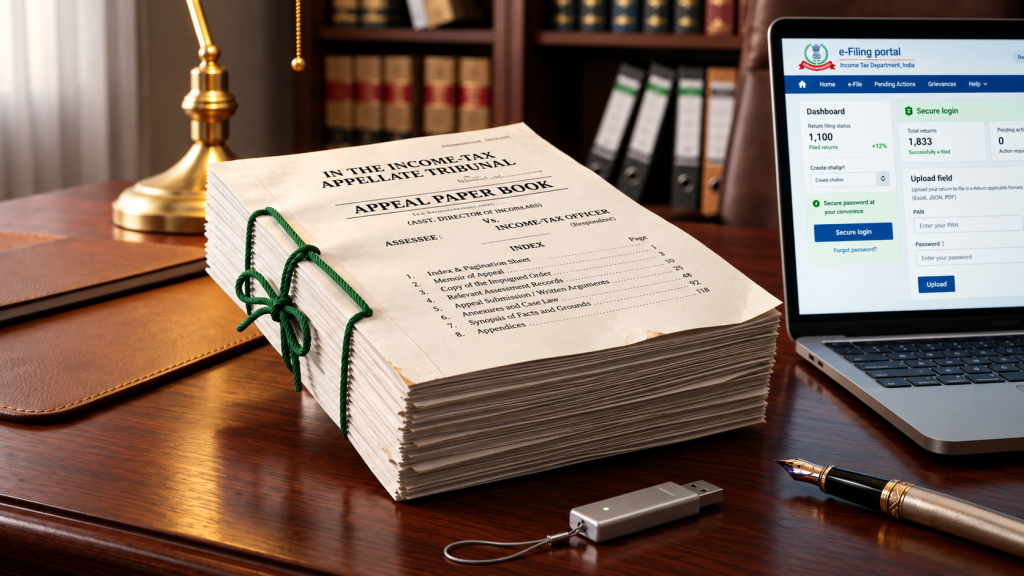
- The "Green String" Rule: Bind your sets exactly like a civil court file—punched and tied with standard legal green string. Skip the thermal binding, plastic covers, or loose staples.
- True Copy Endorsement: The disputed CIT(A) order inside the paper book must have a rubber stamp that reads "Certified to be True Copy", signed by you or the appellant.
- Acknowledgment Stamping: Hand over your 4th "Office Copy" to the counter clerk when you submit the main sets. The registry will stamp this copy with the official Tribunal Case Number (ITA No.), Bench Allocation, and Date of Presentation for your files.
5. Compiling the Legal Paper Book
Your Paper Book is a totally separate, paginated compilation of the documentary evidence you will actually rely on during your arguments. You need to file it in duplicate at least a week before your scheduled hearing.
The Mandatory Rule 18(4) Certificate
Under Rule 18(4) of the ITAT Rules, 1963, your paper book will be rejected if the index page doesn't explicitly certify that these documents were already seen by the lower tax authorities.
"Certified that the documents compiled in this Paper Book running from Pages 1 to [X] are true and faithful copies of the documents which were filed and formed part of the records of the proceedings before the lower authorities [Assessing Officer / CIT(Appeals)]."
(Signature of the Authorized Representative)
What if you have new evidence? (Rule 29)
The ITAT is an appellate body, not a trial court. If you suddenly need to introduce documents that the Assessing Officer or CIT(A) never saw, you can't just sneak them into your standard Paper Book.
Instead, you have to file a formal Interlocutory Application for Admission of Additional Evidence under Rule 29. You'll need to back this up with an affidavit proving that either the lower authorities wrongly refused to look at the evidence, or you had a legitimate, reasonable cause for not producing it earlier.
6. Mitigating Future Dispute Exposure
Most grueling tax disputes start with small omissions, reconciliation mismatches, or poor disclosures during the initial filing phase. By the time a bad assessment order is upheld by the CIT(A), the financial damage—thanks to mandatory pre-deposits and ballooning interest—is already severe.
Start With Airtight Compliance
The best way to win a tax litigation case is to avoid it entirely. Maintaining pristine books and submitting fully reconciled annual returns is your strongest defense. For expert support with corporate return filing, statutory disclosures, and complex reconciliations, explore our Income Tax Filing Services.
Frequently Asked Questions (Official ITAT Guidelines)
Does e-Filing replace the need for physical filing of the ITAT appeal?
No, e-Filing is an enabling system and submission of the physical appeal remains mandatory. After e-Filing, physical documents along with all enclosures must be presented before the respective Bench within the statutory limitation period.
What is considered the actual date of filing of the appeal?
The date on which you present the physical appeal along with all enclosures before the concerned Bench will be treated as the official date of filing, and limitation is calculated from that date.
Can I pay the Tribunal appeal fee directly through the ITAT e-Filing portal?
No, there is no direct online payment gateway on the ITAT e-filing portal. The fee must be tendered via e-Pay Tax on the Income Tax Department portal under Minor Head 500 (Appeal Fees), and those challan particulars are entered on the ITAT portal.
What are the technical scanning specifications for uploading documents?
All appeal documents must be scanned in Black & White PDF format at 150 DPI resolution. The maximum allowed file size per enclosure is 10 MB, and filenames should only contain alphanumeric characters.
What should I do if my scanned enclosure exceeds the 10 MB limit?
Complete the e-filing and physical presentation before the Bench first. Then, send the complete scanned copy via email to the official registry email ID of your respective ITAT Bench along with your case details.
What is the character limit for typing Grounds of Appeal online?
Each Ground of Appeal is limited to 1,000 characters. If your grounds exceed this limit, enter 'Separately Enclosed' in the field and attach your manually drafted grounds as a separate PDF enclosure.
Is Form 36 automatically generated by the portal?
Yes, Form 36, Form 36A, and Annexure-X are automatically compiled from the data entered into the portal. Miscellaneous Applications (MA) must be drafted manually.
Who must sign the verification section of Form 36?
The verification clause must be signed by the Authorised Signatory competent under Section 140 of the Income Tax Act (e.g., the individual assessee, Managing Director, or Secretary), not the legal representative or advocate.
How do I correct an error in an already e-Filed appeal?
If you have not yet presented the physical set to the registry counter, you can disregard the flawed e-filing and submit a fresh one, ensuring you bring the corrected set to the tribunal counter.
Can I upload missing mandatory documents after online submission?
Yes, missing documents can be uploaded via your e-Filing Dashboard after physical presentation before the registry. However, documents that were already uploaded cannot be swapped or edited.